Cross-platform
A consistent experience across macOS, Windows, Linux, iOS, and Android.
 Terminality
Terminal, files, remote desktop, and AI control — cross-platform, efficient, and always within reach.
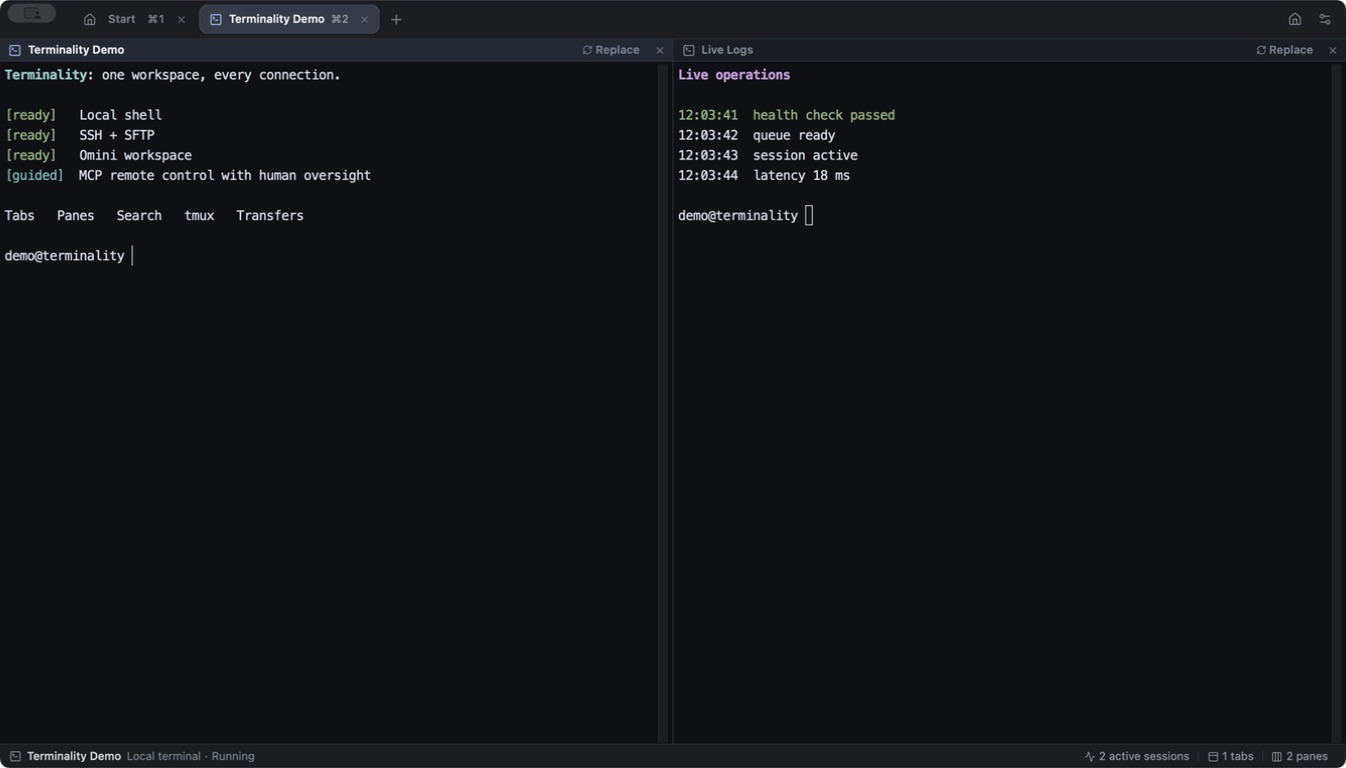
A consistent experience across macOS, Windows, Linux, iOS, and Android.
Keep preferences and connection settings consistent across your devices.
Starts quickly and stays light through long-running connections.
Local terminal, tmux, SSH, SFTP, FTP, and RDP in one client.
Hosts, connections, sessions
Terminality organizes access around hosts, then brings local terminals, remote connections, file operations, and AI collaboration into one fast, private client.
Open local, SSH, SFTP, FTP, or RDP sessions from one encrypted host library.
Arrange terminal, files, and remote desktops around your work with tabs and recursive splits.
Let AI read output, send input, and operate visible panes through a local MCP server.
Private is an architecture
Sensitive credentials stay protected on your devices, and connections never pass through a relay. Cloud sync keeps only the settings you choose consistent.
Read the security modelOne familiar experience
Your interface, connection preferences, and settings stay consistent from desktop to mobile, so you can pick up where you left off.
Terminality
Connect to every terminal, file, host, and remote desktop from one fast, private client.
Meet Terminality