MCP — AI Control
Terminality runs as a visible desktop application and an MCP server in the same process. AI agents control the same Sessions humans see through six typed tools.
Quick Start
{
  "mcpServers": {
    "szt": {
      "command": "/path/to/szt-desktop",
      "args": ["--mcp"]
    }
  }
}
Launch with --mcp: Terminality opens its normal application window, serves MCP on stdin/stdout, and exits when the client closes the transport.
Tools
| Tool | Purpose |
|---|---|
szt_list_session_create_info | List live QCS destinations and connection ways. |
szt_create_session | Create and focus an AI-owned visible Tab from an opaque createInfoId. |
szt_list_sessions | List all visible human- and AI-created Sessions. |
szt_close_session | End a connection while retaining its ended Tab. |
szt_list_session_operations | Return live operation input/output schemas and safety hints. |
szt_operate_session | Invoke one currently advertised operation. |
Session Model
Pane remains presentation and layout. The public MCP capability is a stable visible Session projected by libszt's RemoteControlService.
| Field | Meaning |
|---|---|
sessionId | Stable capability ID for one visible content generation |
runtimeSessionId | Optional private terminal runtime ID; never required as tool input |
origin | human or ai |
kind | localTerminal, sshTerminal, sftpFiles, omini, etc. |
state | Honest state such as pending, running, ready, disconnected, or ended |
Replacing Pane content rotates the public Session ID, so delayed operations cannot reach a new connection placed in the same layout slot. Reconnecting a terminal may rotate only its private runtime ID. Closing retains the ended Tab; layout removal is not an MCP primitive.
Operations
Always discover operations immediately before use:
- Local, SSH, Telnet, and Omini terminals:
terminal.readandterminal.input. Input is exact UTF-8; Enter is appended only whenappendEnteris true. - SFTP and Omini files:
files.list,files.startUpload,files.startDownload,files.viewTask,files.listTasks, plus pause/resume/cancel/retry task operations.
Transfer starts return taskId immediately. They are the same TransferService jobs shown in the global transfer drawer. Unsupported Session kinds return an empty operation list.
Terminal Reading
- Buffer: most recent 256 KiB per terminal Session.
- Default read: 16 KiB.
- Max read: 64 KiB.
- Cursors:
startCursor→nextCursor. Response includestruncatedandhasMore. - ANSI: text may contain control sequences; response marks
ansi: true.
Safety
terminal.inputandszt_operate_sessionare advertised as destructive, non-idempotent, open-world operations. Clients should keep approval policies enabled.- Session operations activate the owning window, focus the Pane, and bring the window forward — AI actions are always visible.
- Every upload/download start shows its exact local paths and conflict policy in a native one-shot approval before libszt opens any automation-provided path.
- The application displays a persistent MCP-connected indicator and the latest operation.
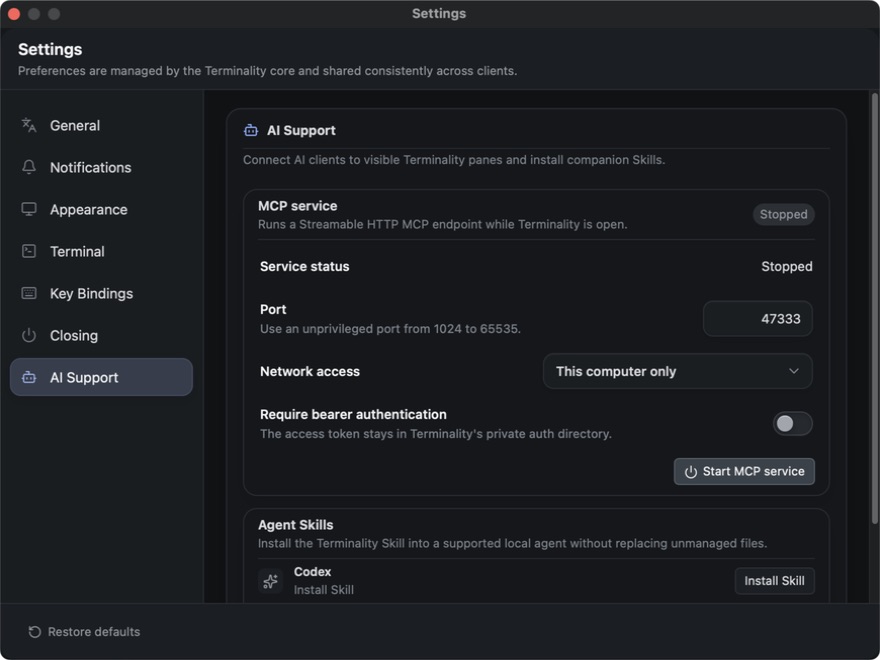
- Each stdio client launch owns one dedicated visible Terminality process. The optional settings-managed HTTP service defaults to loopback and requires authentication for LAN access.
Workflow
szt_list_session_create_info
  → szt_create_session(createInfoId)
  → szt_list_session_operations(sessionId)
  → szt_operate_session(sessionId, operationId, arguments)
  → observe transfer taskId with files.viewTask
  → on a stale Session error: re-list, don't blindly retry